
Classroom Seating Chart Maker
Build a classroom seating plan in minutes. Choose rows, pairs or table groups, paste your class list, and assign seats at random — or drag names by clicking two seats to swap them. Keep specific students apart, reserve front seats for those who need them, and print a clean plan labelled with the front of the room.
- Free to use
- No sign-up
- Runs in your browser
Seating chart maker
Classroom Seating & Routines Kit
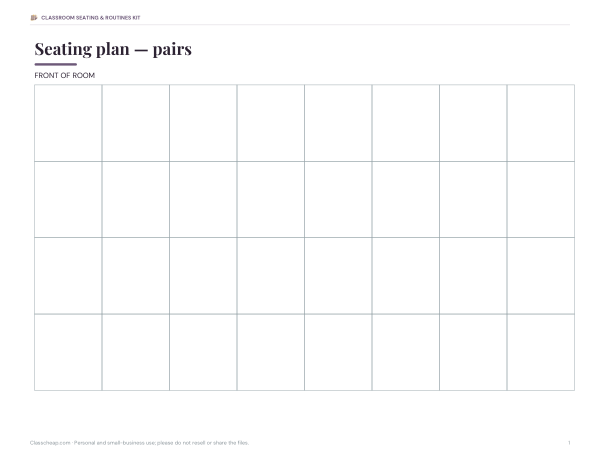
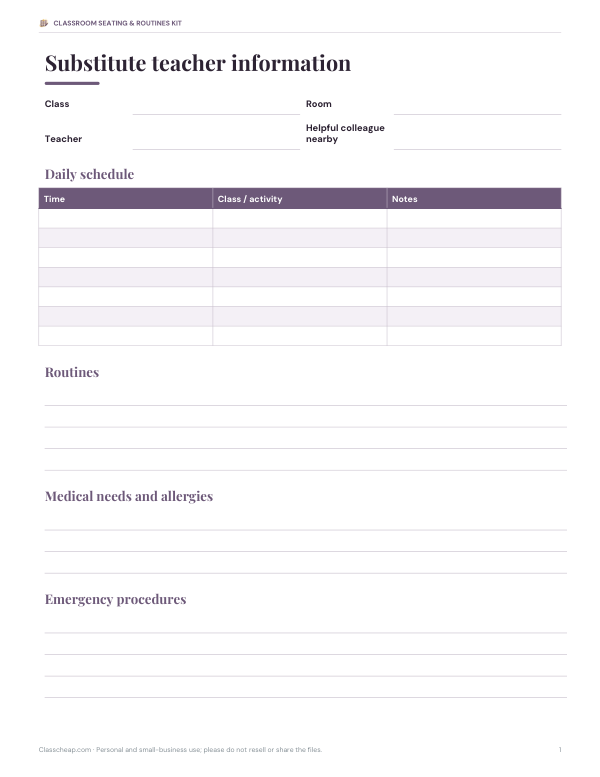
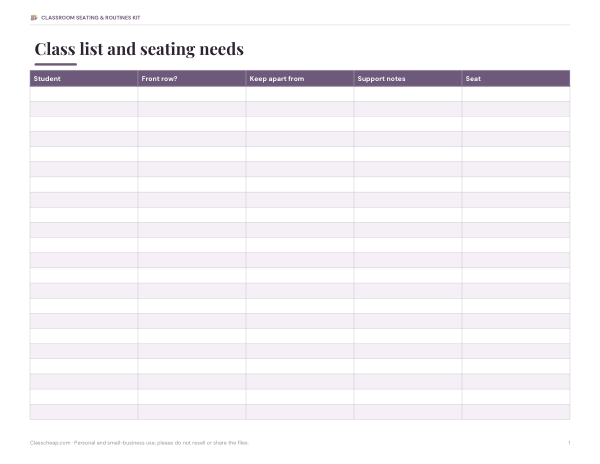
Editable seating plan templates (rows, pairs, groups, U-shape), a substitute teacher folder template, a class list with needs notes and a behaviour and participation tracker.
- Seating plan templates (DOCX, PDF)
- Substitute folder (DOCX)
- Class list with needs (XLSX)
- Participation tracker (PDF, DOCX, XLSX)
Formats: DOCX, PDF, XLSX. Instant download after payment (link valid 72 hours, up to 5 downloads). AI-assisted: the templates were drafted with AI help and reviewed and laid out before publishing.
$3.00 USD, one-time 4 files · about $0.75 each
- Instant download
- 7-day refund
- Secure checkout by Stripe
✓ Classroom use included
7-day money-back guarantee. Full refund within 7 days of purchase, even after you download.
Free sample: Class List Needs (PDF, 63 KB)
Full refund within 7 days — see the refund policy and license.
License: personal and classroom use. Teachers may print and photocopy these files for the students in their own classes, and share them in a password-protected class space (e.g. Google Classroom). Please do not resell, redistribute, or post the files on public websites. One purchase covers one teacher.
Free printables
Single sheets you can print right now, no sign-up. The full pack adds every sheet in one download plus the editable files.
 Printable Participation Tracker
How to make a seating chart
- Choose a layout that matches your room: rows, pairs, table groups of four or six, or a U-shape.
- Set how many columns and rows (or tables) you have.
- Paste your class list, one name per line.
- List any students who should sit near the front, and any pairs to keep apart.
- Click “Randomise seats”. The maker fills front seats first and tries many arrangements to separate the keep-apart pairs.
- Click one seat and then another to swap two students by hand.
- Print the plan for your desk, a substitute folder or the classroom door.
Choosing a classroom layout
| Layout | Good for | Watch out for |
|---|---|---|
| Rows | Tests, direct instruction, focus on the board | Less discussion; back rows can disengage |
| Pairs | Think–pair–share, partner work, most lessons | Choose pairs thoughtfully |
| Groups of 4 | Collaborative tasks, stations, discussion | Some students face away from the board |
| Groups of 6 | Projects in large classes | Harder to keep everyone involved |
| U-shape | Whole-class discussion, seminars, language classes | Needs more floor space |
Many teachers switch layouts for different activities or terms. Keeping the same seating chart for several weeks helps you learn names and builds routines.
Why seating plans matter
Where students sit affects attention, relationships and behaviour. A thoughtful seating plan can place students who need support near the teacher, separate friends who distract each other, mix confident and quieter students, and make sure students with visual or hearing needs can see and hear clearly. Random seating is useful too: it helps students work with different classmates and reduces cliques. Many teachers combine the two — random first, then a few deliberate swaps.
Things to consider
- Access needs — students with visual or hearing impairments, mobility needs or attention needs, as set out in their support plans.
- Language support — pairing new English learners with a supportive classmate who shares a language can help.
- Behaviour — separate pairs who distract each other; avoid putting all the most talkative students together.
- Friendship and wellbeing — isolated students may benefit from a kind table partner.
- Left-handers — place them on the left of a pair to avoid bumping elbows.
- Evacuation — keep aisles and exits clear.
Worked example
A teacher with 24 students and 16 double desks chooses pairs, 4 columns by 4 rows (32 seats). They list Isaac for the front row because of his eyesight, and keep Ben and Sam, and Ella and Rosa, apart. The maker puts Isaac in the front row, fills the rest at random and separates both pairs on its first successful arrangement. The teacher swaps two students by clicking their seats, then prints a copy for the substitute folder.
Seating plans for substitutes
A seating chart is one of the most helpful things to leave for a substitute teacher: it lets them take attendance quickly and address students by name, which improves behaviour. Print the plan, mark any students with medical needs or allergies discreetly, and keep it in the sub folder with the class list and emergency procedures.
How often to change seats
Some teachers change seats every few weeks or at the start of each unit to mix groups; others keep a stable plan for a term. Changing too often makes it harder for students to settle; never changing can entrench problems. A new plan after holidays, or when a group is not working, is a good compromise.
Seating for group work
For collaborative lessons, think about the mix at each table as well as individual placement: a confident reader alongside students who need support, a balance of talkative and quieter students, and at least one student who reliably keeps the group on task. Rotating roles within groups — reader, recorder, reporter, timekeeper — gives everyone a job. Random groups work well for short tasks; planned groups work better for longer projects.
Making the most of the printed plan
- Keep a copy on the teacher’s desk and one in the substitute folder.
- Write students’ names lightly in pencil on a spare copy during the first week to learn names quickly.
- Note allergies, medical needs and support plans discreetly on the teacher’s copy only.
- Update the plan whenever you move students so it always matches the room.
- Date each version so you can see how groupings changed through the year.
Privacy
Student names stay in your browser. Nothing is uploaded or stored, so the tool can be used without sharing class data with a third party.
Frequently asked questions
How do I make a classroom seating chart?
Choose a layout, paste your class list, add front-row and keep-apart requests, randomise, adjust and print.
Can I keep certain students apart?
Yes, list pairs in the keep-apart box; the maker tries many arrangements to separate them.
Can I move students by hand?
Yes, click one seat and then another to swap them.
What layouts are available?
Rows, pairs, groups of 4 or 6, and a U-shape.
Are student names stored?
No, everything stays in your browser.
Can I print it for a substitute?
Yes, click Print plan.
How many students can it handle?
As many as your layout has seats; increase rows or columns if the maker reports too few seats.
Does it work for tables of different sizes?
Choose groups of 4 or 6; for mixed sizes, pick the larger size and leave some seats empty.
Can I save a seating plan?
Print it or save it as PDF from the print dialog; the page does not store names.
May I print and share these worksheets with my class?
License: personal and classroom use. Teachers may print and photocopy these files for the students in their own classes, and share them in a password-protected class space (e.g. Google Classroom). Please do not resell, redistribute, or post the files on public websites. One purchase covers one teacher.